
Your Story. Your World. Crafted to Last.
Iron Scribe is the all-in-one writing sanctuary for novelists, worldbuilders and dreamers. Organise your ideas. Shape your story. Bring your world to life.
Windows 10 and 11 · desktop application · 21-day trial, no card
- Write & OrganiseYour manuscript
- Plan Your StoryWith clarity
- Track Every DetailWith ease
- Build Rich WorldsEffortlessly
- Bring CharactersTo life
What is in it
One program, not seven browser tabs.
Everything below is in the same application and reads from the same file. A character written into the registers is a character the manuscript can highlight, the board can hold and the timeline can follow.
-
Library
Every book and series in one place, with covers, page counts and word counts.
-
Manuscript
Chapters and acts in a tree, rich text, per-chapter word counts and targets. F12 floats a page onto a second monitor.
-
Story Planning
Drag characters and places onto a board and join them with labelled lines. Saves as a metre-wide PDF for the wall.
-
Timeline
Events, chapters and character movements in story order rather than the order you wrote them.
-
Maps In development
Layers, brushes and stamps for drawing the country the book is set in. Not finished, and not what you pay for today.
-
World
Characters, places, factions and more, each with a picture, kept where the manuscript can reach them.
-
Import & Export
Word manuscripts in by heading level. Out again set six by nine and justified, with a contents page that fills itself.
-
Writing Assistant
Bring your own key for the provider you already pay for. It reads your registers, so it stops inventing your characters at you.
The manuscript
Your chapter, and everything it refers to.
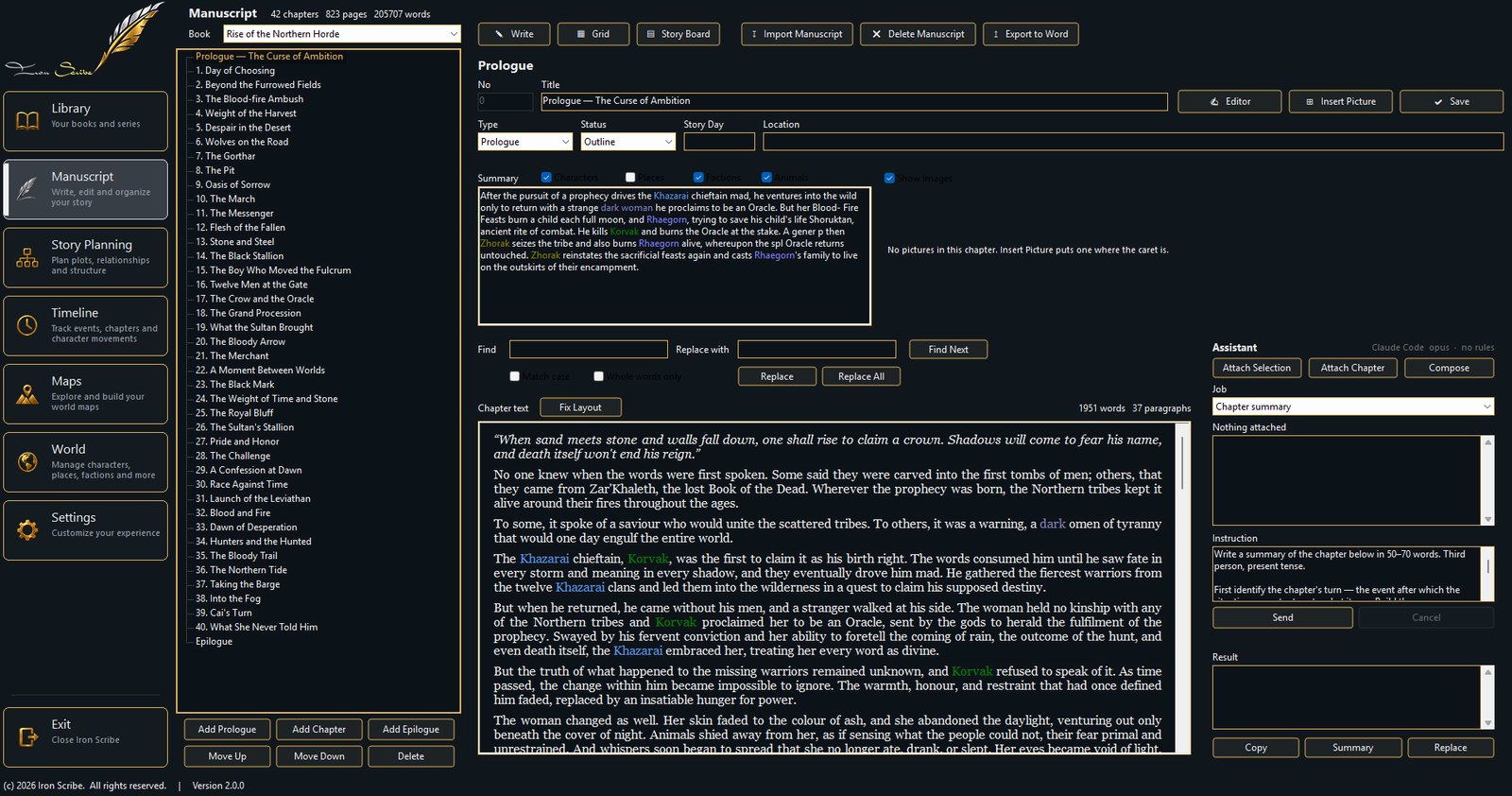
Names from the registers are picked out in the prose as you write. Hover one and the card for that character or place opens beside it, so checking who somebody's father was does not mean leaving the paragraph you are in.
Summaries, story day, location and status sit above the text. The assistant panel is on the right when you want it and quiet when you do not.
The board
The part of a story no field can carry.
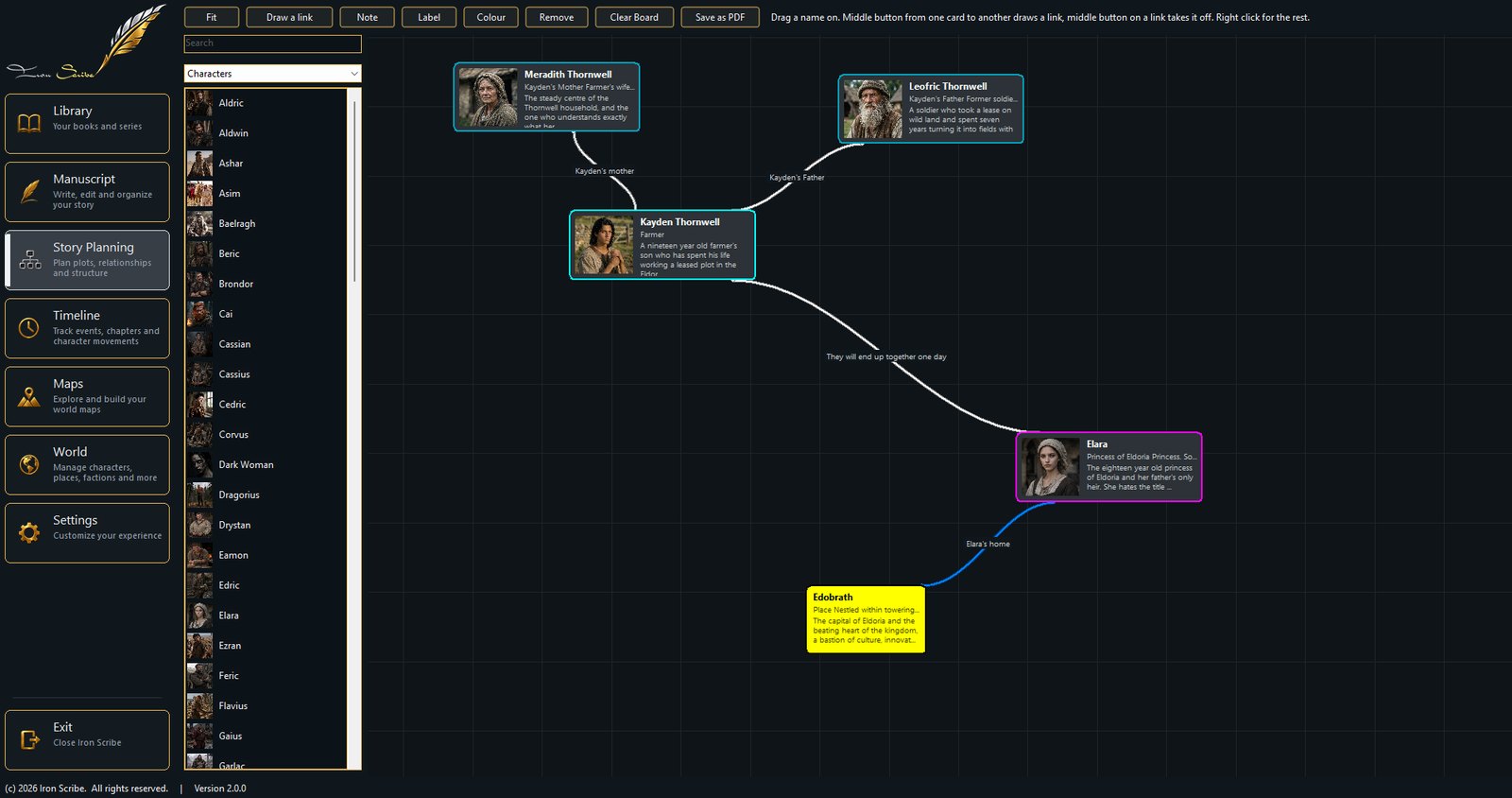
Drag a name out of the list and it becomes a card with its picture on it. Join two cards and write what the line means: Kayden's mother, Elara's home, they will end up together one day.
It saves as a PDF at A0, which is a metre wide, so the whole thing can go on a wall rather than into a folder you never open.
Where your book lives
On your disk. Not on ours.
Iron Scribe is a desktop program. Your manuscript is a file on your own machine and it opens whether or not you have a connection, whether or not our server is up, and whether or not we are still here in ten years. The subscription pays for encrypted backup and updates.
Stop paying and you keep the software. If your subscription lapses, Iron Scribe goes on opening, writing, exporting and printing exactly as before. What stops is cloud backup and new versions. You are subscribing to backup and updates, never to permission to open your own book.
One version. Everything unlocked.